Handsets
Blind Transfer enables you to transfer a call to another party without announcing the call prior to transfer. - During a Call tap the Transfer soft key
- Enter the transfer destination number
- Tap the Transfer soft key to transfer the call
Consult Transfer enables you to transfer a call to another party with consultation.
- During a Call press the Transfer soft key
- Enter the transfer destination number
- When the party answers, announce the call
- Press the Transfer soft key again to complete the transfer
Add a Contact
- From Home View, tap Directories icon
- Enter Contact details (in all required fields)
- Tap Save soft key

Do Not Disturb (DND)
When you enable DND, you prevent your phone from ringing and send all incoming calls directly to voicemail (Busy Greeting). All calls received while DND is enabled, will be displayed in your Recent Calls list.
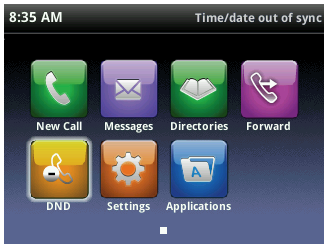
Call Forwarding There is a number of call forwarding options available,
- Always
- When Busy
- When No Answer
- When Not Reachable